 Visto Docs
Docs home/Projects and media
Members and permissions
Workspace accounts identify people. Project membership determines where they can work.
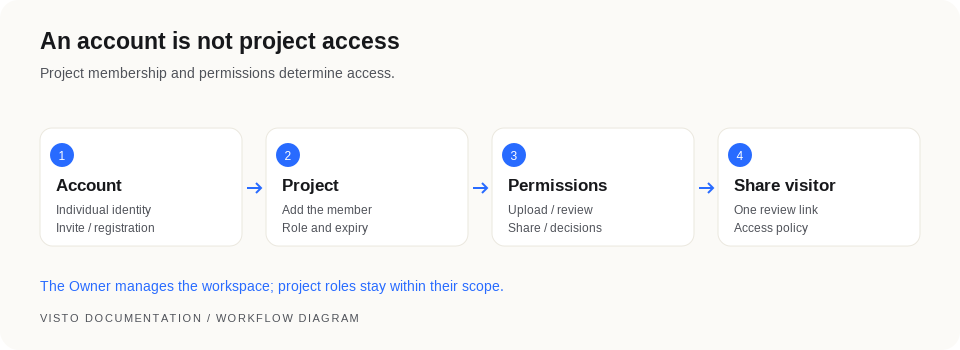
Roles
| Role | Scope |
|---|---|
| Owner | Global accounts, infrastructure, and workspace settings |
| Project supervisor | Members and collaboration in assigned projects |
| Project member | Authorized uploads, reviews, sharing, and other project actions |
| Temporary account | Limited access and expiry as configured |
| Share visitor | Only the shared review and its allowed actions |
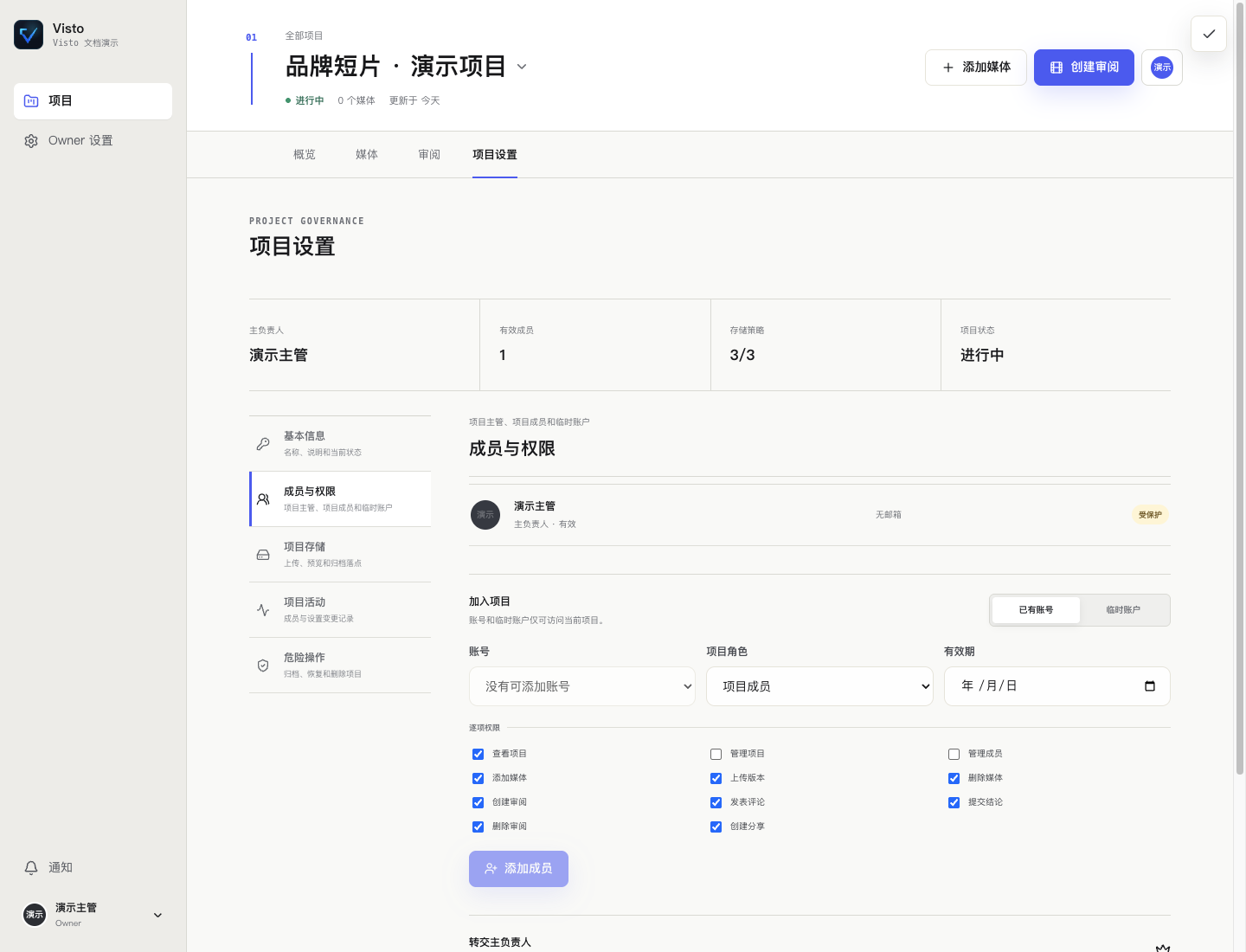
By default, a project member can upload, create reviews, comment, submit decisions, share, and remove media from the project. The Owner or project supervisor can adjust these permissions. Removing media normally moves this project’s relationship to its recycle bin; it does not delete the original file or affect other projects. For view-only access, explicitly restrict the permissions rather than relying on the role name.
Invite someone
- The Owner creates an invitation in Accounts and registration.
- Give that invitation to the intended person.
- The person sets their own profile and password.
- The Owner or authorized project supervisor adds the account in Project settings → Members and permissions.
- Select permissions and any expiry date.
- Have the member check access using their own account.
Open registration also requires a separate project-membership step. When someone leaves, review their membership, temporary-account expiry, and existing shares. Removing access cannot retrieve files already downloaded.