 Visto Docs
Docs home/Projects and media
Recycle bin, archiving, and deletion
| Action | Effect |
|---|---|
| Remove media from a project | Removes its project relationship; can be restored from that project's recycle bin |
| Restore removed media | Adds it back to that project |
| Archive a project | Keeps records and pauses project writes and storage changes |
| Restore a project | Returns an archived project to active work |
| Delete a project | Follow the displayed deletion scope and recovery limits |
None of these operations replaces a backup.
Restore removed media
Open Media → Recycle bin, find the asset, and restore it. Check that the file and versions are readable. Restoring the relationship cannot recreate an original deleted outside Visto.
Archive after delivery
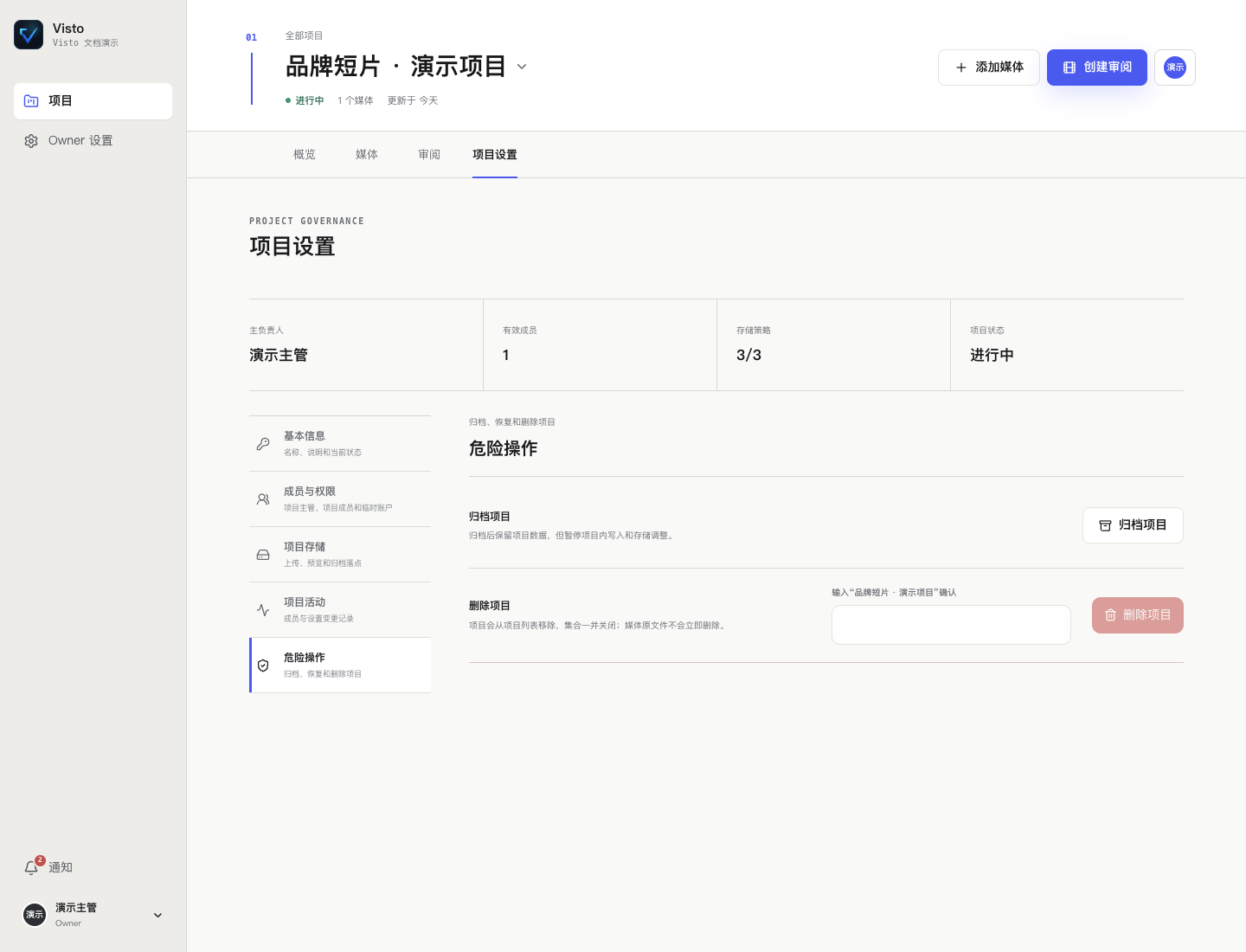
Check the final version and decision, resolve or document outstanding feedback, review shares, and save backups. Then use Project settings → Dangerous actions → Archive.
Archiving does not copy media to archive storage or automatically revoke every share. Restore the project before starting another revision. Read the confirmation carefully before deletion; instance backup restoration can affect more than one project.